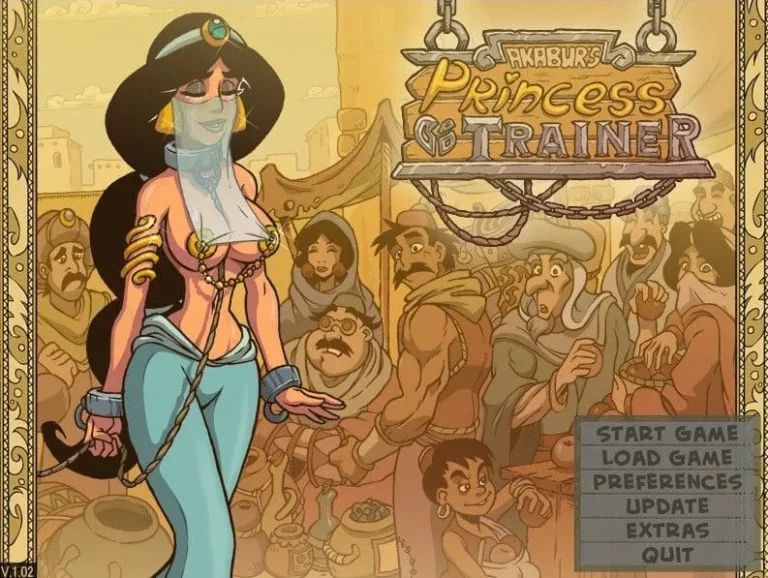
Princess Trainer Gold Edition
Developer: Akabur
2.03
Browse our collection of adult games in the Cloud Save Porn Games category.
Developer: Akabur

Developer: Luxee

Developer: MoonBox

Developer: Classy Lemon

Developer: Mobum

Developer: CigarRex

Developer: Azienda

Developer: Mirgosoft Games

Developer: LikesBlondes

Developer: Dante

Developer: Smoke Mob Games

Developer: Nyx Valeria/NyxVN

Developer: CedSense

Developer: ZetanDS

Developer: Damned Studios

Developer: Giant Guardians

Developer: Aleksey90

Developer: ViM Studios

Developer: Pent Panda

Developer: RNGR

Developer: OneManVN

Developer: Sex n' Games

Developer: RoyalCandy

Developer: deadbeat

Developer: L8eralGames

Developer: Mori ammunition

Developer: Professor Amethyst Games

Developer: Min Thy Lord

Developer: Karabinek

Developer: Alek ErectSociety

Developer: AugustEsoterica

Developer: Jabbonk

Developer: Oracle and Bone
Developer: ArcGames

Developer: digi.B

Developer: GeeSeki

Developer: VoidPilgrim

Developer: WindwardGames

Developer: MrStrangelove

Developer: SerialNumberComics

Developer: mr.moonmi

Developer: Kyois
Developer: Belle

Developer: Dimajio333

Developer: RFH Games

Developer: TwistedScarlett60

Developer: HRelease

Developer: MoonBox

Developer: sqwl

Developer: Velkami

Developer: Bloody Ink

Developer: Mimir's Lab

Developer: Bear in the Night

Developer: Henissart

Developer: BlenderKnight

Developer: Aorrta

Developer: Vnorth

Developer: Lunardis
Developer: LocJaw
Cloud Save Porn Games are a class of adult-oriented interactive titles that store player progress and assets on remote servers so users can continue gameplay across devices. This introduction explains why cloud save capability matters for these games, what typical features to expect, and how it changes the player experience. I’ll draw on personal testing and player reports to show how cloud saves simplify switching devices, protect progress from local failures, and sometimes enable cross-device multiplayer and synchronized choices. You’ll learn how to evaluate cloud save implementations, which titles offer the most reliable systems, and how to protect your privacy while using these services.
Ever spent hours on a game, only to have your progress vanish because your laptop crashed or you wanted to switch to your tablet? 😫 It’s the worst feeling. For fans of adult interactive titles, this used to be a constant headache. Your carefully unlocked scenes, your story choices, your entire journey—gone in an instant if a file got corrupted or you changed devices.
That’s exactly why the Cloud Save Porn Games category has become such a game-changer. It’s not about a specific genre of content, but a critical quality-of-life feature that defines a modern, user-friendly experience. In short, these are adult-oriented interactive games that include remote progress storage as a built-in, often seamless, function. It means your adventure isn’t trapped on one machine. It travels with you, safe and sound. Let me tell you, after once losing a weekend’s worth of progress in a beloved visual novel due to a Windows update gone wrong, this feature became my personal non-negotiable. The sheer relief of logging into a new device and having my save right there was priceless. ✨
At its core, this category is defined by one thing: persistent, remote progress storage. Forget the days of manually hunting for hidden .sav files in obscure AppData folders. A true cloud save porn games title handles this for you, automatically linking your in-game progress to your user account on the developer’s servers, a platform (like Patreon or itch.io), or a third-party service.
The typical use cases are what make this feature so essential:
This category separates the professionally maintained titles from the more amateurish offerings. It signals that the developers value your time and investment in their story.
So, how does the magic happen? 🧙♂️ It’s less magic and more clever engineering. When you play a game in this category, it’s not just running locally. Periodically, it’s communicating with a remote server.
The most common and reliable method is through server-side saves. Here’s a simplified breakdown:
There are a few architectural approaches:
* Developer-Hosted Saves: The game’s creator runs the servers. This offers the most integrated experience but ties the save’s fate to the developer’s ongoing operation.
* Third-Party Cloud Services: Some games might sync via services like Google Drive or Dropbox by accessing their APIs. This puts storage in your hands but requires extra permissions.
* Browser-Based with Backup: For HTML5 games, progress might be saved in your browser’s local storage, with an optional “export save” button to create a backup file you must manage yourself—a weaker form of cloud saving.
When browsing for cloud save porn games, you’ll encounter a range of user-facing features that build on the basic sync technology. Here’s what to look for:
A Personal Workflow Example:
I recently switched from playing a popular RPG-style title on my desktop to my iPad. Here was my seamless workflow:
1. On my PC, I finished a gaming session and manually clicked the “Cloud Save” button in the game’s menu. ✅
2. I closed the game on my PC.
3. I opened the game on my iPad and logged into the same linked account.
4. A pop-up appeared: “A newer cloud save was found. Would you like to load it?” I tapped “Yes.”
5. Within 10 seconds, I was looking at the exact same screen, with the same party and story progress. That’s cross-device sync working perfectly. 🎮➡️📱
No system is perfect. Being aware of potential pitfalls helps you use cloud save features more wisely.
To help visualize the trade-offs, here’s a comparison of the common approaches:
| Approach | Pros | Cons | Privacy Risk | Recovery Options | Best For |
|---|---|---|---|---|---|
| Developer-Hosted Saves | Seamless integration, automatic, often includes version history. | Progress is tied to developer’s ongoing support; potential for total loss if they shut down. | Medium. You trust the developer’s security practices. | Usually relies on developer tools; manual backup may not be available. | Most users who want a hands-off, reliable experience. |
| Third-Party Provider (e.g., Drive) | You control the storage account; potentially more durable long-term. | Requires extra app permissions; sync can be less seamless; conflict resolution may be clunky. | Low to Medium. Data is in your account, but the game accesses it. | You can directly manage files in your cloud drive. | Privacy-focused users comfortable with managing cloud storage. |
| Local+Cloud Hybrid | Redundancy; you always have a local copy and a cloud backup. | Manual process; you are responsible for remembering to export/import. | Low. Cloud component may just be an encrypted file you upload yourself. | Excellent. You have direct file access for local backups and cloud copies. | Technical users who want maximum control and backup safety. |
How to Test if a Game Truly Supports Cloud Save:
Don’t just take the store description’s word for it. 🕵️♂️
1. Start a new game and play through the first few minutes, making a unique choice.
2. Find and use the “Save to Cloud” or “Sync” function in the menu.
3. Completely uninstall the game, or install it on a different device.
4. Reinstall/log in on the new device.
5. Look for an option like “Load from Cloud” or check if it automatically loads your progress. If your unique choice is there, cloud sync progress is working!
Performing Manual Backups and Exports:
Always look in the game’s Settings or Save menu for:
* An “Export Save” or “Backup Save” button. This may create a .save, .dat, or .json file on your device. Store this file in your own cloud drive (like Google Drive) for a double-backup.
* An “Import Save” button. This is your lifeline if the main cloud save fails.
Recovering from Sync Conflicts:
If you get a conflict error message:
1. DON’T PANIC. Your data is usually still safe on the server.
2. Read the prompts carefully. The game will typically label saves by device and timestamp.
3. When in doubt, choose the save with the most recent timestamp. This is usually the one with the most progress.
4. After resolving, do a manual sync on your primary device to re-establish a single source of truth.
Embracing the Cloud Save Porn Games category fundamentally changes your experience. It turns these interactive stories from fragile, device-locked applications into resilient, continuous journeys. By understanding how the feature works, recognizing the different implementations, and using the practical backup tips, you can enjoy your games with unprecedented freedom and security. Your progress—and your time—are worth protecting.
Cloud Save Porn Games change how players preserve progress, enabling cross-device continuity and reducing local data loss risk while introducing important privacy and platform considerations. When choosing to use cloud save, prioritize titles and providers that document encryption and retention policies, offer export options, and provide clear recovery mechanisms. Use the checklists and troubleshooting steps in this post to verify implementations, migrate safely between devices, and protect your account. If you enjoyed this guide, try the recommended migration and privacy checks on a secondary account first, and share your experiences or questions in the comments so I can expand this guide with more real-world case studies.
Have a favorite adult game that's not in our collection? Let us know and we might feature it!
Contact UsAre you ready to explore our collection of exciting adult games? Click below to start your journey!
